Users
Find a person, see their visits and activity, and check which payments are linked to them.
Users is a directory of the people Graytower has recorded on your Website, both anonymous visitors and signed-in users you have identified. Open anyone to see their sessions, events, first-known source, and linked payments.
You can start from the Users and Journeys previews in Overview, which cover the selected period. The full directory covers everyone in your retained history.
Choose a View
The View selector at the top decides who is listed:
| View | Who is listed |
|---|---|
| All users (default) | Everyone: anonymous visitors, identified users, customers, and people who have not converted. |
| Customers | People with at least one linked payment. |
| Non-customers | People with no linked payment. |
| First payment | People who have paid, listed by their first payment. |
| A Goal | People who completed that Goal, listed by their first completion. |
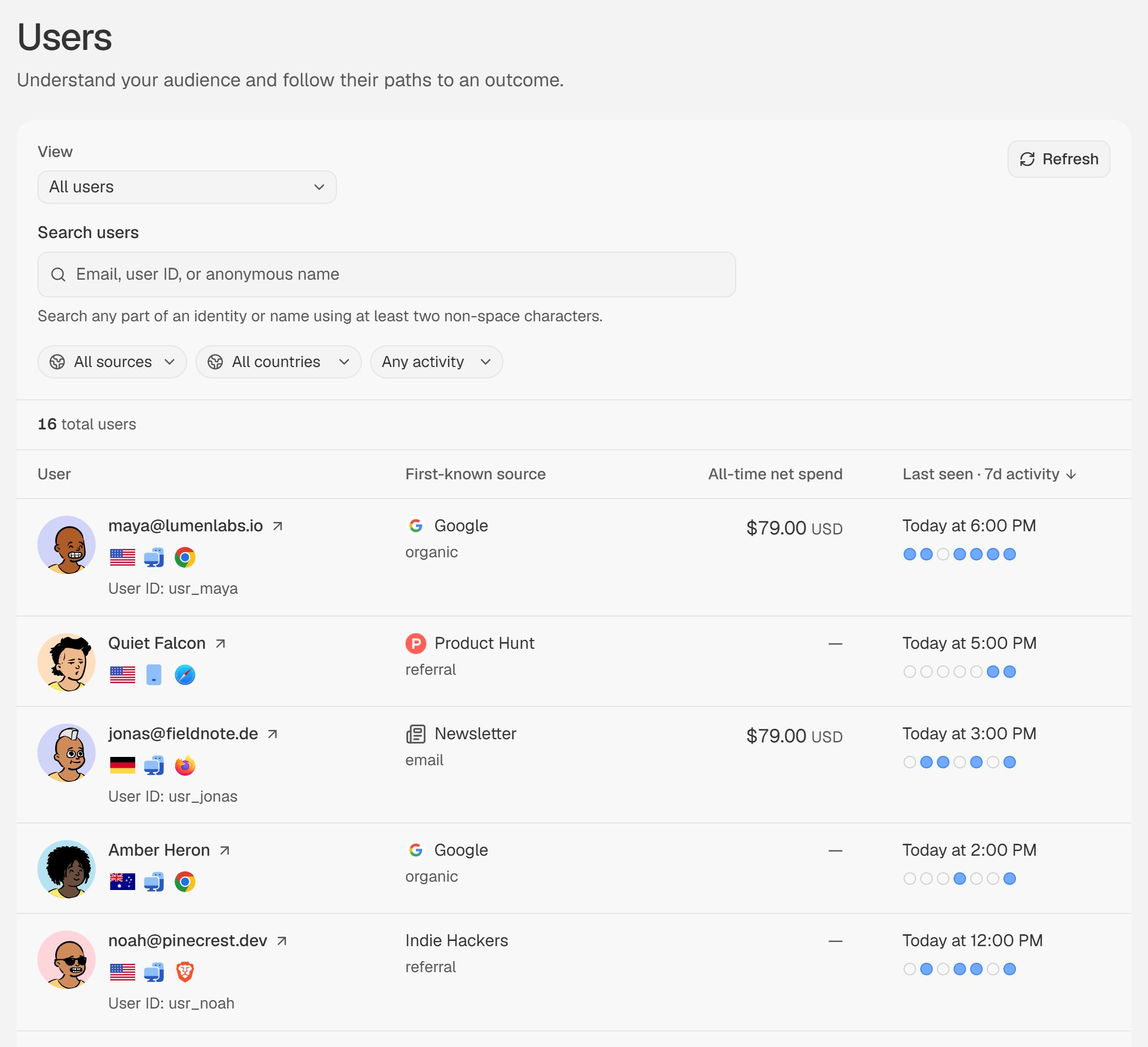
In the first three views, columns show all-time net spend, latest context, and recent activity. In the outcome views (First payment or a Goal), the columns change to the first payment amount, time to outcome, and completion date. Customers and First payment also show each person's last-known source: where they came from on their last visit before paying. Revenue credit stays with the first-known source.
Search by identity or anonymous name, and page through the results. The directory views also filter by country and recent activity; outcome views filter by first-known source. Search and filters cover all results, not just the current page.
 Open full size
All users includes identified and anonymous people. Spend is all-time net linked payments; the activity dots cover the last seven UTC days.
Illustrative sample data.
Share or bookmark a view
The selected view is kept in the URL, so it survives reloads and the back button:
/users?audience=customersor/users?audience=non-customers/users?outcome=first-payment/users?goal=your_event_name
Open a person
Select a person to open their timeline in a side sheet. In an outcome view, the completion is highlighted. Open full page gives the person their own URL, which you can also open in a new tab.
Each row shows country, device, and browser under the person's name.
Anonymous and identified people
An anonymous person is recognized by their browser's _gt_id cookie. After your app calls identify, Graytower can attach their activity to a stable user ID or email. Someone who switches browsers, clears cookies, or declines tracking can appear as a separate person unless they are identified.
In cookieless mode, new activity does not create individual people. People recorded earlier with cookies stay available.
Linked spend and activity
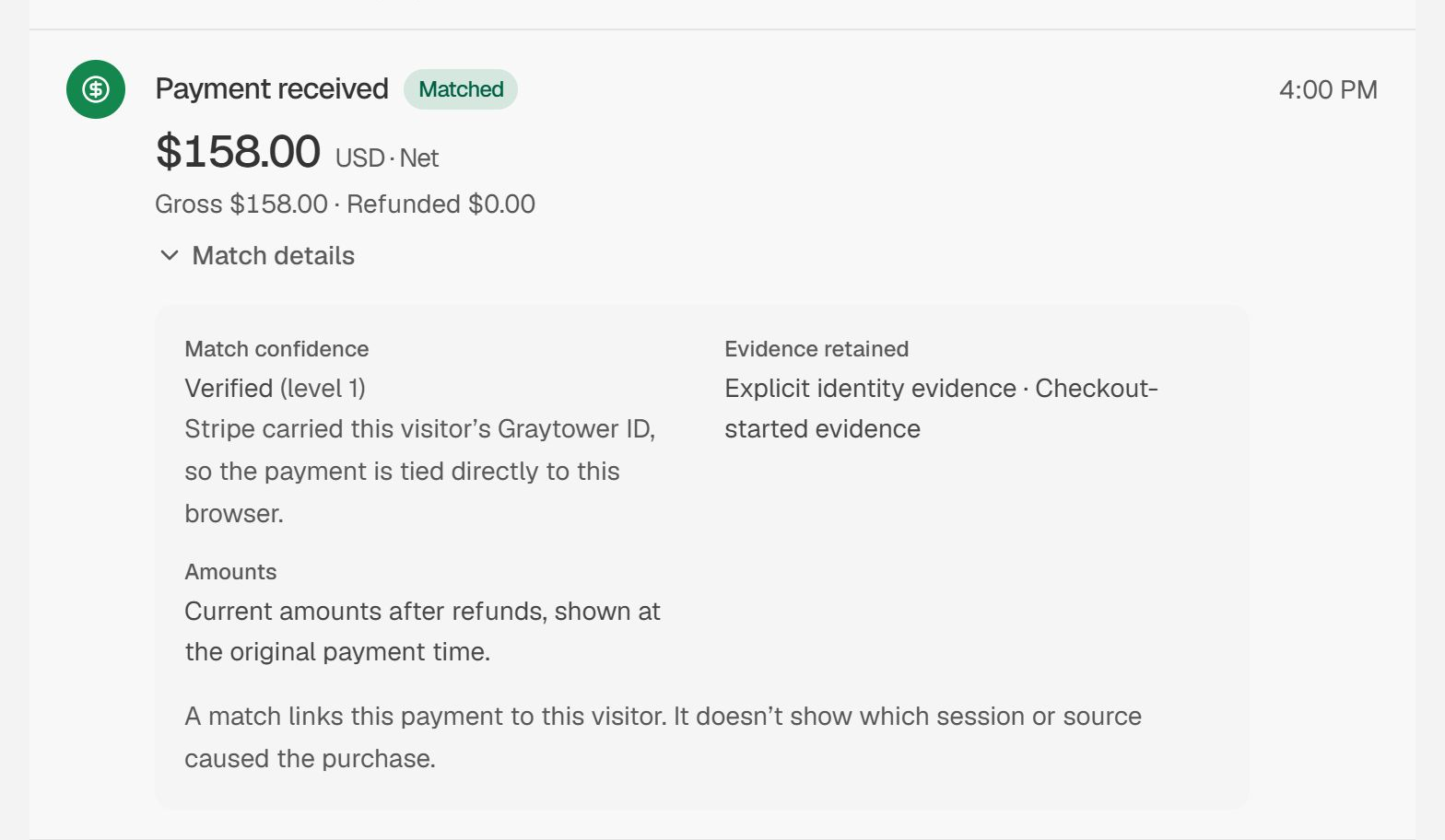
Spend appears only for payments Graytower could link to this person, with each currency shown separately. A person with no spend shown may still have paid; the payment just could not be linked.
 Open full size
Expand Match details on a payment to see its net amount, refunds, and how it was linked to this person.
Illustrative sample data.
The seven activity dots cover one week, which depends on the view:
- All users, Customers, Non-customers (Last seen · 7d activity): the seven UTC days ending today.
- First payment and Goals (Completed · prior 7d): the seven UTC days ending on the person's first completion. The rightmost dot is always green.
Blue means recorded activity, green marks the completion, an empty dot means no activity, and a dashed dot means data is unavailable. Hover a dot for its date and details; the green dot also shows the outcome, first payment amount, and time to complete. The dots do not show whether someone is online now. Open the person to see their full history, even when it spans months.